SARS eFiling Deadline Is 23 October: How to Spot the Tax-Season Phishing Scams

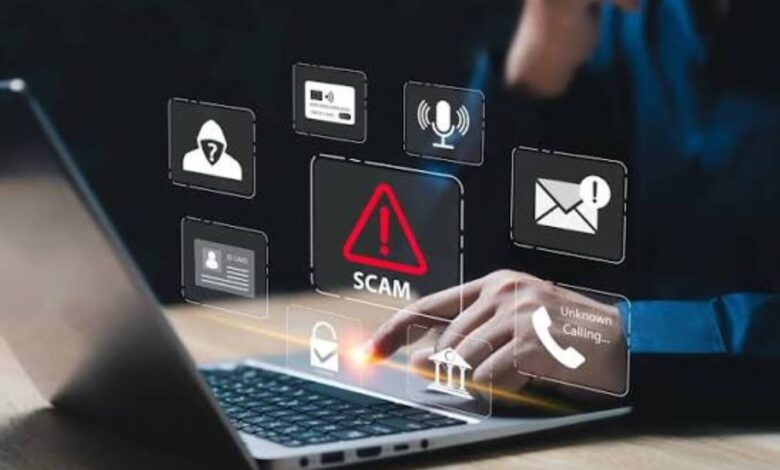
With South Africa’s 23 October 2026 tax-filing deadline approaching, cybercriminals are exploiting taxpayer anxiety through fake SARS emails, fraudulent SMS messages and phishing websites designed to steal personal and banking information.
South African taxpayers are being urged to remain vigilant as the deadline for submitting individual income tax returns approaches. The South African Revenue Service (SARS) has repeatedly warned that scammers use the annual tax-filing season to impersonate the tax authority, tricking unsuspecting users into revealing sensitive information or transferring money.
The deadline of 23 October 2026 applies to non-provisional individual taxpayers who are required to submit returns. Provisional taxpayers and trusts generally have until 22 January 2027, subject to their individual circumstances and applicable requirements. <Cite refs={[“turn132777search0″,”turn132777search1”]}/>
As the deadline draws closer, fraudulent messages may become more convincing by referring to outstanding returns, alleged tax refunds, account suspensions or urgent verification requests.
How Tax-Season Phishing Scams Work
Phishing is a form of cybercrime in which attackers impersonate trusted organisations to obtain confidential information. During tax season, scammers often use the SARS name and branding to make their messages appear legitimate.
A typical scam may claim that a taxpayer is eligible for a refund and must click a link to receive the money. Another may warn that an account will be suspended unless the recipient immediately verifies their personal information.
These messages can lead to fake websites designed to resemble the official SARS eFiling portal. Once victims enter their login credentials, tax reference details or banking information, criminals may use the information to access accounts or attempt financial fraud.
Some scams also arrive through SMS, social media and messaging applications, making it important to verify unexpected requests regardless of the communication channel. <Cite refs={[“turn132777search10″,”turn132777search13”]}/>
Five Warning Signs to Watch For
1. Unexpected refund notifications
Be cautious of messages promising a tax refund that you were not expecting. Scammers frequently use the prospect of receiving money to encourage people to act without checking the authenticity of a message.
2. Urgent threats and deadlines
Messages threatening immediate penalties, account closures or legal action unless you click a link should be treated with suspicion. Criminals often use fear and urgency to prevent victims from checking the facts.
3. Suspicious links and websites
A message may display the SARS name while directing users to a fraudulent website. Do not assume a link is safe simply because the message contains official-looking logos or familiar wording.
4. Requests for passwords or one-time PINs
SARS states that it will never request eFiling login credentials, passwords, banking PINs or one-time PINs through email, SMS, social media or telephone. Any such request should be treated as a serious warning sign. <Cite refs={[“turn132777search10″,”turn132777search5”]}/>
5. Unexpected attachments
Attachments claiming to contain refund forms, tax assessments or urgent payment instructions may contain malicious files or lead to fraudulent login pages. Avoid opening unexpected files until their legitimacy has been independently verified.
How to File Your Tax Return Safely
Taxpayers can reduce their exposure to phishing attacks by following a few straightforward precautions.
- Access SARS eFiling by entering the official website address yourself rather than following a link in an unexpected message.
- Use the official SARS MobiApp where appropriate.
- Never share passwords, banking PINs or one-time verification codes with someone claiming to represent SARS.
- Verify refund notifications, tax assessments and payment requests through official SARS channels.
- Keep your devices, browser and security software updated.
- Use a unique, strong password for your tax account and enable additional security protections where available.
The official SARS website provides information about the filing season, digital services and known scams. Taxpayers who are unsure about a communication can consult the authority’s published scam alerts or contact its IT security team. <Cite refs={[“turn132777search0″,”turn132777search10”]}/>
What to Do If You Receive a Suspicious Message
If an email or SMS appears to come from SARS but requests sensitive information or directs you to an unfamiliar website, do not click its links, open its attachments or reply with personal details.
Instead, access your tax account through the official website and check whether the alleged issue appears there. Suspicious messages can also be reported to SARS using the contact information published on its official website.
If you have already entered your credentials on a suspicious website, change your password immediately using the legitimate service, contact your bank if financial information may have been exposed, and notify SARS. If you suspect unauthorised transactions, contact your bank’s fraud department without delay.
Quick action can reduce the risk of further account misuse or financial loss.
Why Scammers Target Taxpayers Before the Deadline
The final days of tax season create ideal conditions for social engineering. Taxpayers may be worried about penalties, anxious about missing the filing deadline or eager to receive a refund.
Criminals exploit these emotions by making fraudulent messages appear time-sensitive and official. Even technically experienced users can be caught off guard when a convincing message arrives at a stressful moment.
For this reason, cybersecurity specialists recommend slowing down before acting on any unexpected financial or tax-related communication. Verifying a message independently is safer than trusting its appearance or responding to its urgency.
Conclusion
With the 23 October deadline approaching, South African taxpayers should prioritise both timely filing and online security. Fake refund notifications, suspicious links and requests for confidential credentials remain important warning signs to recognise.
SARS provides official digital channels for submitting returns and checking tax information, so there is no need to rely on unsolicited links or messages to complete the process.
The safest approach is simple: access SARS services directly, protect your login credentials and verify unexpected requests before taking action. A few seconds of caution could prevent a costly phishing attack.